沒看錯,本港電視台要『食住』新電影版在港上映,特別安排重播第一季度的The X-Files。其實想當年若沒有第二季末那個注目cliff-hanger,大概沒有一般大眾人留意這部片子而鬧出笑話。
是不是因為年初老美那邊因編劇工潮,大部份『來貨』都短了一大截,害得電視台要找這類十多年前的片子來充數?不過,好歹全是從新配音,有點誠意;可惜不能再聽到林保全先生的「莫探員」,而配「史探員」那位女聲實在太單薄啦。幸好,一週播四話,而九月末,已預告Terminator: Shara Chronicles 會播;那部是另一個"Terminator 3"的故事。
07 September, 2008

26 August, 2008
iPhone Sweet Stuff
A few things you will want for your iPhone (or may be iPod Touch, too):
iPhone Browser
With this, you can browse the internal file structure like a file browser when connected to your PC. It may be the most useful when you unit is jailbroken, but it still helps to drag some files out of the phone, especially files on Camera Roll, which you cannot get it just through iTune.
Screen Capture
If you want to share your iPhone Moment, screen capture utility is your best friend. With firmware 2.0.0 onwards, you can simply hold onto the power button and hit the home button, when the screen goes white, whoa! The screen is placed inside inside the Camera Roll.
VNC
When the screen is so big with WiFi networking, it is hard not to connect with terminal and remote access. There are a couple of free tools I find which may help. Monach VNC connects with any computer, on the same network, with VNC served installed-- PC, Mac and even Linux. The free version supports only right mouse button and limits screen resolution. Excellent to monitor what your computer is working when your are away.
Another free utility which only Windows Remote Deaktop called RDF, which also supports right mouse button and keyboard. But I have yet to find time to test it out.
******
Update:
Why no links?
The above post is typed all via iPhone while I am watching the reun of The X-Files Season 1 last night. No typo, it is the Season 1 and I am going to get on that next.
My experience here as a mobile blogger (wanna-be) illistrates why Apple must put copy-n-paste feature the first thing into her next iPhone firumware update. I guess no user is will to switch back and forth to retype every single character of an URL or a phrase they found intresting onto another application. This is stupid! For the time being, please kindly move the fingers and search them on Google and/or Apps Store.
Hey, are you listening Apple?
iPhone Browser
With this, you can browse the internal file structure like a file browser when connected to your PC. It may be the most useful when you unit is jailbroken, but it still helps to drag some files out of the phone, especially files on Camera Roll, which you cannot get it just through iTune.
Screen Capture
If you want to share your iPhone Moment, screen capture utility is your best friend. With firmware 2.0.0 onwards, you can simply hold onto the power button and hit the home button, when the screen goes white, whoa! The screen is placed inside inside the Camera Roll.
VNC
When the screen is so big with WiFi networking, it is hard not to connect with terminal and remote access. There are a couple of free tools I find which may help. Monach VNC connects with any computer, on the same network, with VNC served installed-- PC, Mac and even Linux. The free version supports only right mouse button and limits screen resolution. Excellent to monitor what your computer is working when your are away.
Another free utility which only Windows Remote Deaktop called RDF, which also supports right mouse button and keyboard. But I have yet to find time to test it out.
******
Update:
Why no links?
The above post is typed all via iPhone while I am watching the reun of The X-Files Season 1 last night. No typo, it is the Season 1 and I am going to get on that next.
My experience here as a mobile blogger (wanna-be) illistrates why Apple must put copy-n-paste feature the first thing into her next iPhone firumware update. I guess no user is will to switch back and forth to retype every single character of an URL or a phrase they found intresting onto another application. This is stupid! For the time being, please kindly move the fingers and search them on Google and/or Apps Store.
Hey, are you listening Apple?
22 August, 2008
There is something about iPhone
After using many different PDAs and so called "smart-phones", I still have yet to find one that impresses me as much as iPhone does. I am not a big Apple or Jobs fans, I have no regret using Windows (XP). If you are a guy like me looking for a mobile gadget which provides data connection, well I can safely say iPhone would be your best bet, to date.
Here are something I like:
1. Big Screen without Big Weight. iPhone is hardly the first smart-phone with a 3.5 touch screen, there are many others who have this real estate of vista but none, so far, enjoys any weight advantage. The size matters here cause I find it is the minimum size which you want to read your email on, let alone surfing the internet.
2. Easy connectivity. The UI is a breeze to use, but I have no idea why that Ms. Bradshaw rejects it on sight (I watched that movie too, okay?). It is not only ground-breaking which many follow afterward, what makes it stand out, still, is how easy to hook up with the data network, and this part is really crucial to a mobile communication device. I guess most people would tell you that Apple computers have user-friendly interface, but I am telling you Apple computers also have very easy networking setup, something yet to find in many other desktop, at least, environments. iPhone is in the same vien as her bigger cousins. Let's say for WiFi, once you get into a connection point, and if you need to fill out some extra details (say passcode), it is all there. And next time you come back, just pick that connection point again, no profile to manage, no extra to key in, just click it and there you go. I don't know why Windows Mobile 6.1 still cannot help me on this!
3. 3rd Party Software. First off, I don't jailbreak my unit since I want my firmware update smooth as silk and leave all the worries of bricking it behind me. But with the advent of Apps Store starting from version 2.0, 3rd party software are now supported. The better part is I don't even have to go to any PC with additional software (in this case, iTune) to get any software I want to put in or out of my unit. Everything can be handled right inside my phone. It is the wireless connection now, man, your mobile phone is no longer a kid which goes home for supper. I am fully aware many developers hate the limitation imposed by Apple, but as far as I know, many of them are not technical issues at all. (See SCUMM VM board, for example.)
4. SMS. The bigger screen, not only allows me to read messages in greater ease, allows messages to be arranged like a dialog where I can easily trace the flow.
Well, it is not to say iPhone is perfect, here are some of the things I really want to see it in:
1. Cut and Past. Come on, if I find a phrase of something and look it up elsewhere, without cut-n-paste, I have to type every single word out of it. This feature exists back from the days of Palm Pilot, why isn't it here now?
2. I want my Changjie Input Method! That handwriting recognition is fine but it is not as fast as Changjie.
3. Just make your software licence GPL-compatible, it helps your Apps store to grow faster.
Finally, many say the followings make their life complete, which I don't give a damn:
1. Bluetooth A2DP support: I am a little serious about listening music on the road, and all I know is, if you are do care the quality when listening to music out of a portable device, my advice: get a real iPod (the older the better), plus a better wired earphone. There current incarnation of bluetooth headphones has yet to reach my satisfaction mark.
2. External memory card support: When was the last time I pull a memory card out of a mobile? Yes, it was the time when I put the phone into reserve...
3. Radio, video conferencing and camera flash: Never use, don't use and useless. Frankly, until we have digital radio broadcasting, nothing beats a radio with an analogue tuner. I have yet to see a phone with radio which gets it right all the time.
---
Update: Here is another one. For those who include multiple profiles (Nokia first?) to decide if the phone sings or rumbles under different circumstances, I think iPhone gives us a simplier, yet more sensible choice: sound or no sound. You just flip a switch on the side of the phone, and that's it! I think nobody cares about profiles nowadays, and I think a separate profile for Bluetooth headset is rather ridiculous.
Here are something I like:
1. Big Screen without Big Weight. iPhone is hardly the first smart-phone with a 3.5 touch screen, there are many others who have this real estate of vista but none, so far, enjoys any weight advantage. The size matters here cause I find it is the minimum size which you want to read your email on, let alone surfing the internet.
2. Easy connectivity. The UI is a breeze to use, but I have no idea why that Ms. Bradshaw rejects it on sight (I watched that movie too, okay?). It is not only ground-breaking which many follow afterward, what makes it stand out, still, is how easy to hook up with the data network, and this part is really crucial to a mobile communication device. I guess most people would tell you that Apple computers have user-friendly interface, but I am telling you Apple computers also have very easy networking setup, something yet to find in many other desktop, at least, environments. iPhone is in the same vien as her bigger cousins. Let's say for WiFi, once you get into a connection point, and if you need to fill out some extra details (say passcode), it is all there. And next time you come back, just pick that connection point again, no profile to manage, no extra to key in, just click it and there you go. I don't know why Windows Mobile 6.1 still cannot help me on this!
3. 3rd Party Software. First off, I don't jailbreak my unit since I want my firmware update smooth as silk and leave all the worries of bricking it behind me. But with the advent of Apps Store starting from version 2.0, 3rd party software are now supported. The better part is I don't even have to go to any PC with additional software (in this case, iTune) to get any software I want to put in or out of my unit. Everything can be handled right inside my phone. It is the wireless connection now, man, your mobile phone is no longer a kid which goes home for supper. I am fully aware many developers hate the limitation imposed by Apple, but as far as I know, many of them are not technical issues at all. (See SCUMM VM board, for example.)
4. SMS. The bigger screen, not only allows me to read messages in greater ease, allows messages to be arranged like a dialog where I can easily trace the flow.
Well, it is not to say iPhone is perfect, here are some of the things I really want to see it in:
1. Cut and Past. Come on, if I find a phrase of something and look it up elsewhere, without cut-n-paste, I have to type every single word out of it. This feature exists back from the days of Palm Pilot, why isn't it here now?
2. I want my Changjie Input Method! That handwriting recognition is fine but it is not as fast as Changjie.
3. Just make your software licence GPL-compatible, it helps your Apps store to grow faster.
Finally, many say the followings make their life complete, which I don't give a damn:
1. Bluetooth A2DP support: I am a little serious about listening music on the road, and all I know is, if you are do care the quality when listening to music out of a portable device, my advice: get a real iPod (the older the better), plus a better wired earphone. There current incarnation of bluetooth headphones has yet to reach my satisfaction mark.
2. External memory card support: When was the last time I pull a memory card out of a mobile? Yes, it was the time when I put the phone into reserve...
3. Radio, video conferencing and camera flash: Never use, don't use and useless. Frankly, until we have digital radio broadcasting, nothing beats a radio with an analogue tuner. I have yet to see a phone with radio which gets it right all the time.
---
Update: Here is another one. For those who include multiple profiles (Nokia first?) to decide if the phone sings or rumbles under different circumstances, I think iPhone gives us a simplier, yet more sensible choice: sound or no sound. You just flip a switch on the side of the phone, and that's it! I think nobody cares about profiles nowadays, and I think a separate profile for Bluetooth headset is rather ridiculous.
20 August, 2008
19 August, 2008
終於上了iPhone
得到賢妻『御准』,八月十日終於買了3G iPhone啦!還是16GB版本.賢妻只是怪責不早早立定主意買,錯失了贈送皮套的機會而矣!<3
台方會因敝是『長期』客戶,轉plan有優惠,不單只機價較低,同時回贈也較多.至於使用後感,夜啦,下回再補~~~
台方會因敝是『長期』客戶,轉plan有優惠,不單只機價較低,同時回贈也較多.至於使用後感,夜啦,下回再補~~~
06 August, 2008
用免費軟體轉錄DVD Audio
最近買了方大同2008年演唱會的錄音,發現DVD中的歌比CD中的還要多(CD版中只有兩首是DVD中沒有的);一般把DVD Audio轉到電腦中,方便再轉到iPod,都用AudaCity之類的軟體,邊播邊把音樂『收集』成檔案。可能今回用了6-channel DTS播放的關係,出來的效果極之吵耳。唯有直接地從DVD把音效抄下來。經過一番研究之後,從各方提點下,找到以下可以把DTS檔,轉錄到WAV檔的方法。當中完全沒有使用需付費的軟體,更不涉及crack任何付費軟體,良心好過。
聲明:請尊重版權!愛好音樂請購買正版!以下音樂均作自用而非分享用。若果用此作非法轉錄,或使用當中軟體而觸犯當地法例,後果自負,本人一概不負任何民事刑事責任!
首先找來軟體DVD Decrypter,或更新的imgBurn,這裡使用前者(在那裡下載軟體請自行找找),可把DVD上的音檔轉成DTS檔:
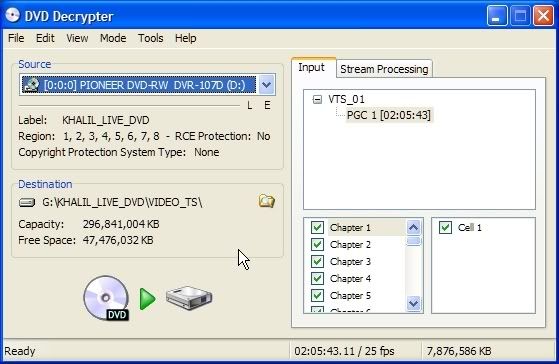
一定要使用IFO模式:
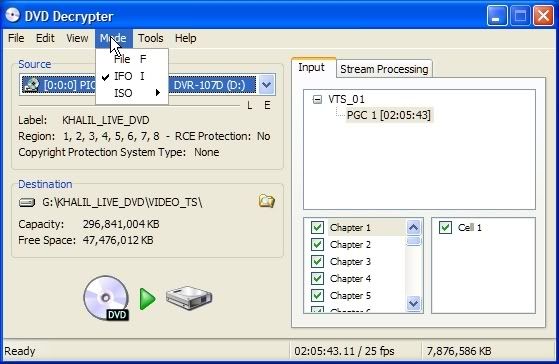
為了方便一歌(一軌)一檔,在設定中要把每章割成一個檔案(File Splitting: By Chapter):
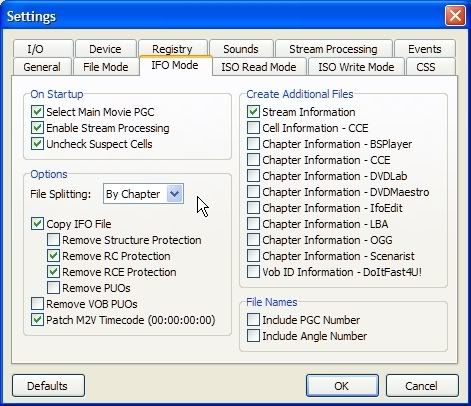
在Stream Processing頁,先要選Enable Stream Process,再只選那一個DTS檔(必須是同時tick及highlight那個選項才成),往下再選Demux:
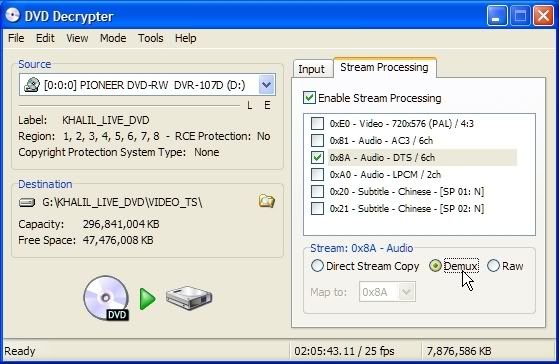
再用滑鼠按一卜左下方的鍵開始:
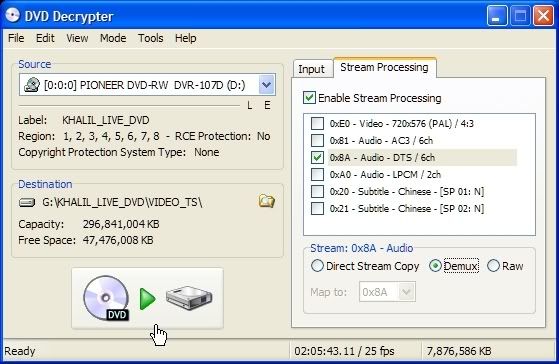
要多久才完成要看看閣下主機的能耐啦:

完成後在指定的檔案夾中找到DTS檔:
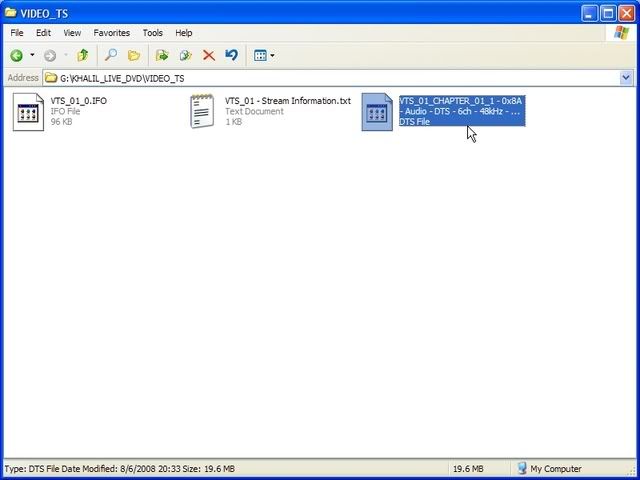
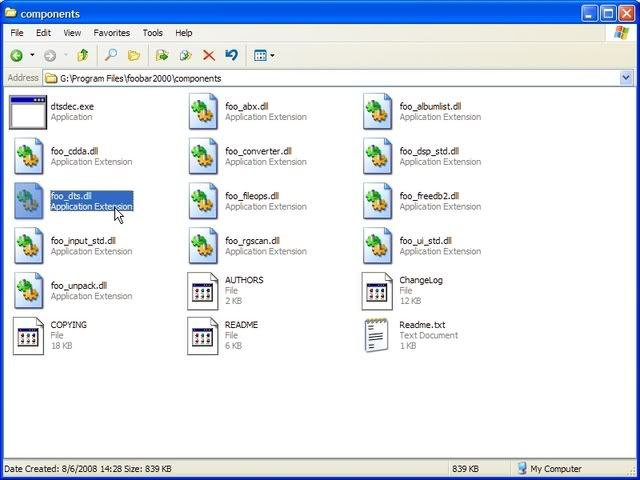
用來實際把DTS轉成WAV檔的軟體是foobar2000,不過安裝時,必定要連covertor部份也要。敝是用的是0.9.5.5版,另外要再加上一個同是免費的plug-in,叫foo_dts(以上兩個在那裡找到請親自發掘一下),把它安放在foobar2000的component夾內:
開啓foobar2000,把那些要轉換的DTS檔,拉到foobar2000之中:
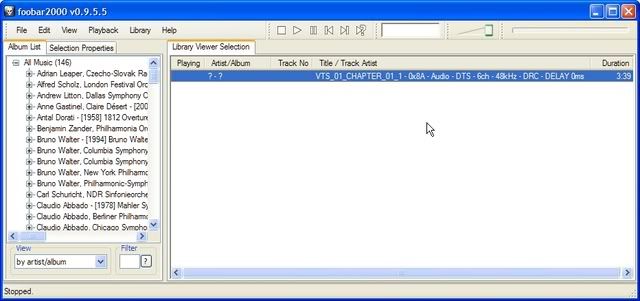
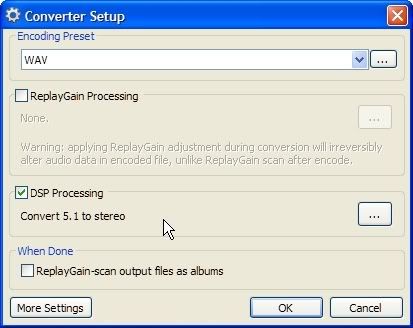
就把它們轉換到閣下喜歡的格式去,不過,由於一般的格式只是2-channel,敝建議要打開DSP Processing中的"Convert 5.1 to stereo":
以上粗淺,還請各方前輩指教。
聲明:請尊重版權!愛好音樂請購買正版!以下音樂均作自用而非分享用。若果用此作非法轉錄,或使用當中軟體而觸犯當地法例,後果自負,本人一概不負任何民事刑事責任!
首先找來軟體DVD Decrypter,或更新的imgBurn,這裡使用前者(在那裡下載軟體請自行找找),可把DVD上的音檔轉成DTS檔:

一定要使用IFO模式:

為了方便一歌(一軌)一檔,在設定中要把每章割成一個檔案(File Splitting: By Chapter):

在Stream Processing頁,先要選Enable Stream Process,再只選那一個DTS檔(必須是同時tick及highlight那個選項才成),往下再選Demux:

再用滑鼠按一卜左下方的鍵開始:

要多久才完成要看看閣下主機的能耐啦:

完成後在指定的檔案夾中找到DTS檔:

用來實際把DTS轉成WAV檔的軟體是foobar2000,不過安裝時,必定要連covertor部份也要。敝是用的是0.9.5.5版,另外要再加上一個同是免費的plug-in,叫foo_dts(以上兩個在那裡找到請親自發掘一下),把它安放在foobar2000的component夾內:

開啓foobar2000,把那些要轉換的DTS檔,拉到foobar2000之中:

就把它們轉換到閣下喜歡的格式去,不過,由於一般的格式只是2-channel,敝建議要打開DSP Processing中的"Convert 5.1 to stereo":

以上粗淺,還請各方前輩指教。
04 August, 2008
25 July, 2008
Dell 2007FP開箱記(終定版)
現在能買到非TN Panel的LCD,不是很大起碼廿貳吋,同時動輒要在參肆仟元或以上;若非在HKEPC版中有某君『仙人指路』,大概絕不能買到一台這樣化算的非TN機,僅借此致謝。
Dell Ultrasharp 2007FP是台很舊式四比三,貳拾點壹吋LCD顯示屏,最高能顯示出1600x1200解像度!在今天拾陸比拾板充斥的情況下,這個比例早應被市場淘汰了。中港台三地的Dell網站不會賣(踫過釘),只知在美國那邊仍然有。但敝可不是從老美直接訂過來的。
還是看看主角。
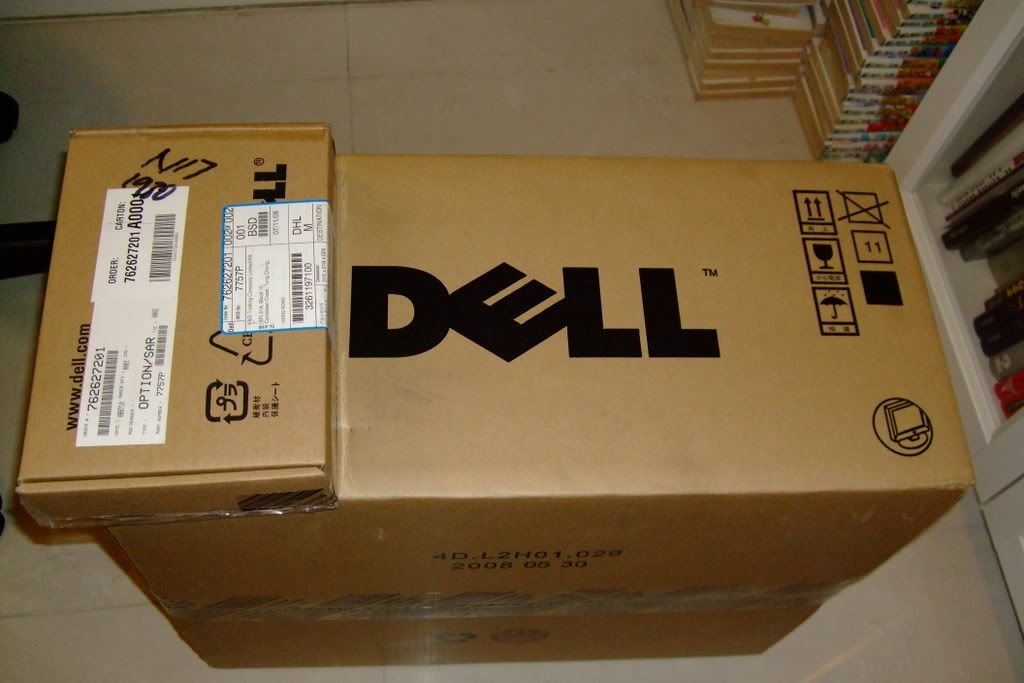
七月十八日,DHL送來了兩盒。小的香港制式的電源線,而大的是顯示屏;打開如下:
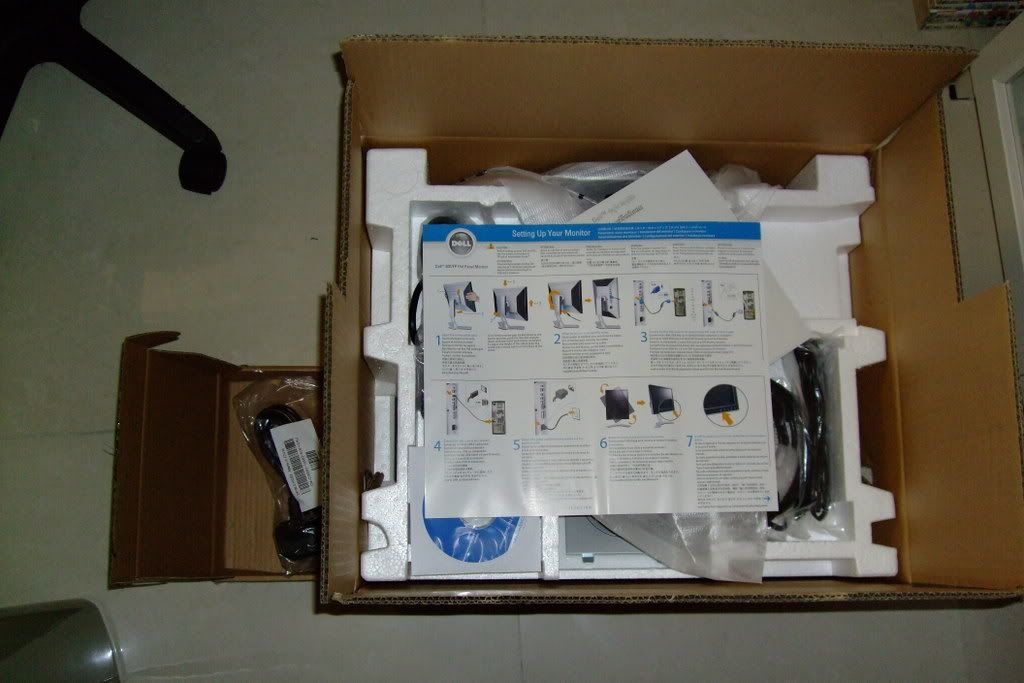
一條15針VGA線連上屏上。除此之外還有DVI線、USB Hub接線(螢幕附肆個USB埠)、安裝說明、驅動和說明光盤:
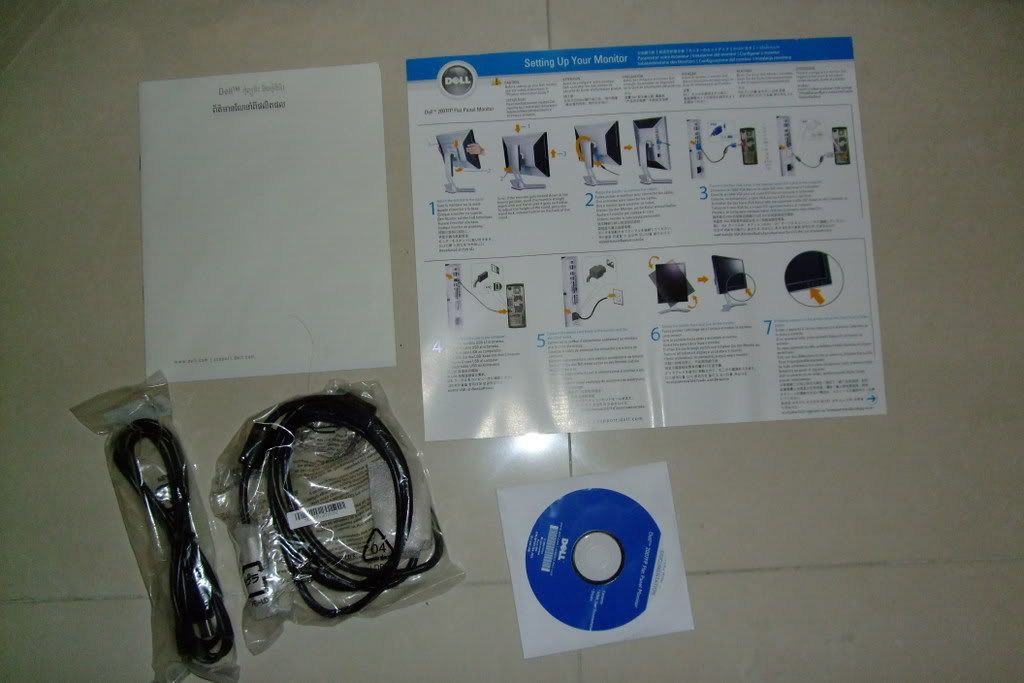
安裝主要是把螢幕接到支架上就成,非常簡單:
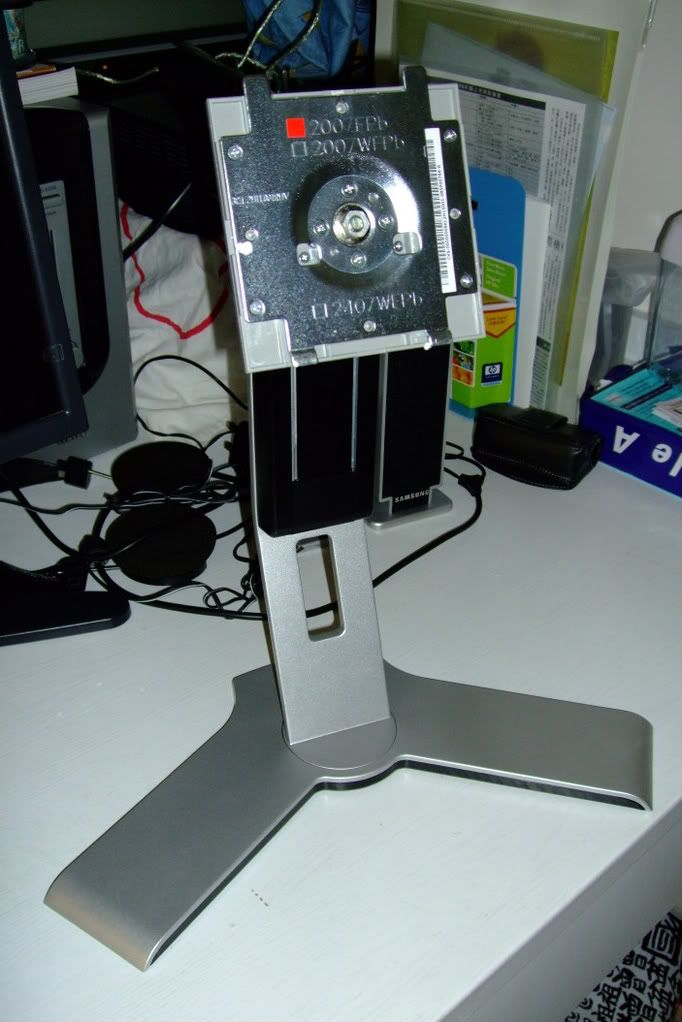
裝好!
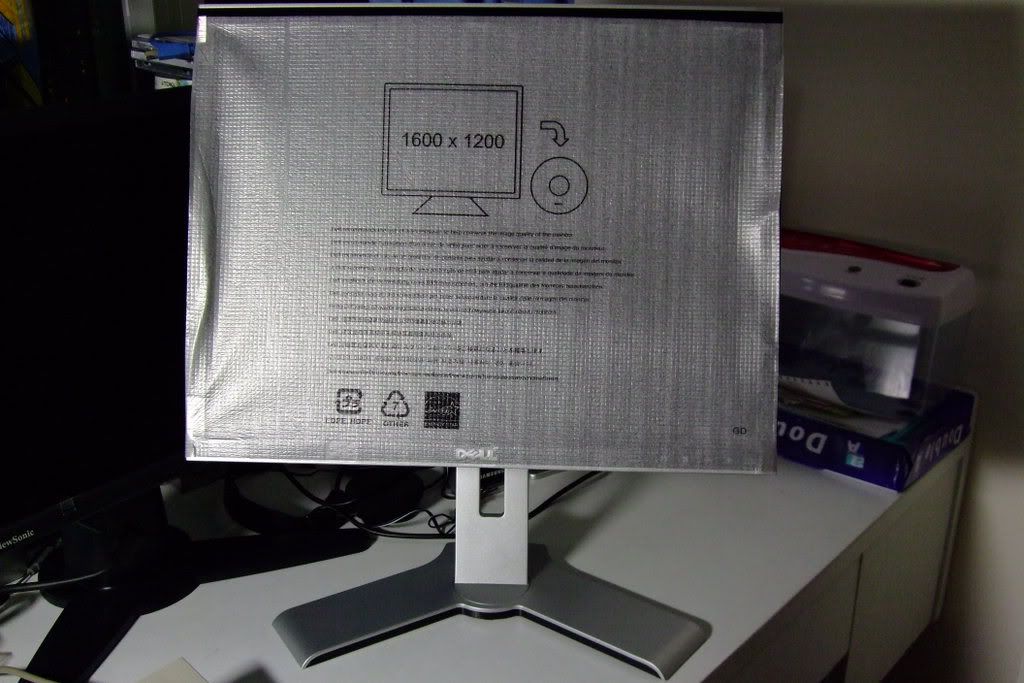
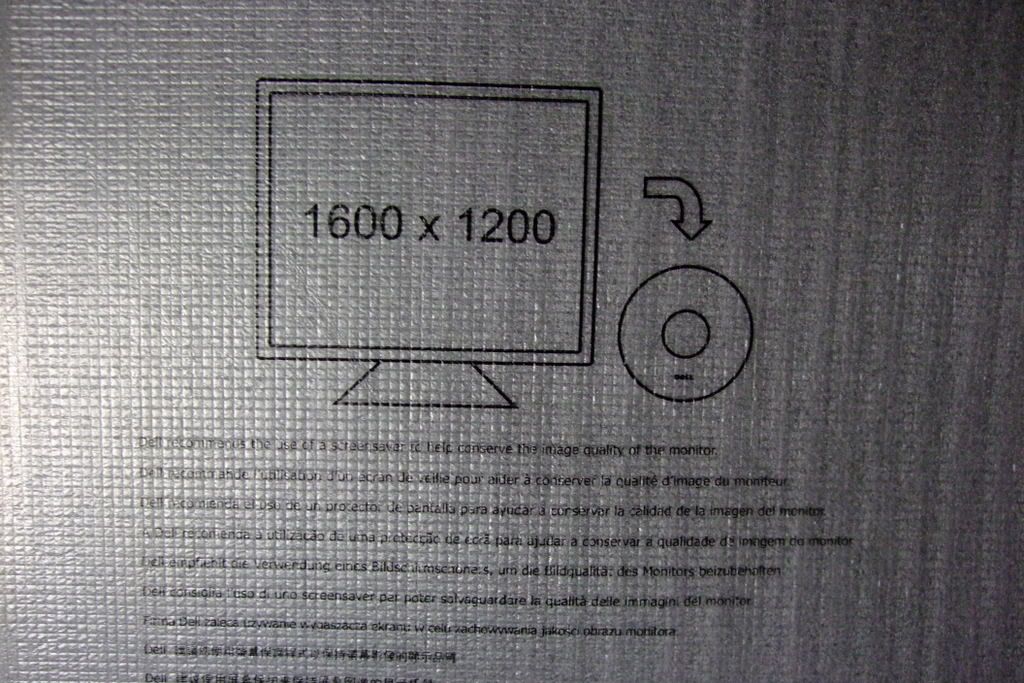
要逹到最高解像度,其實好像不用安驅動程式:
架背有鍵可以讓螢幕升降,而旋轉和左右擺動皆可以。除了兩個USB接口在螢幕的左側之外(以landscape mode計),全部接口皆在螢幕的底部:
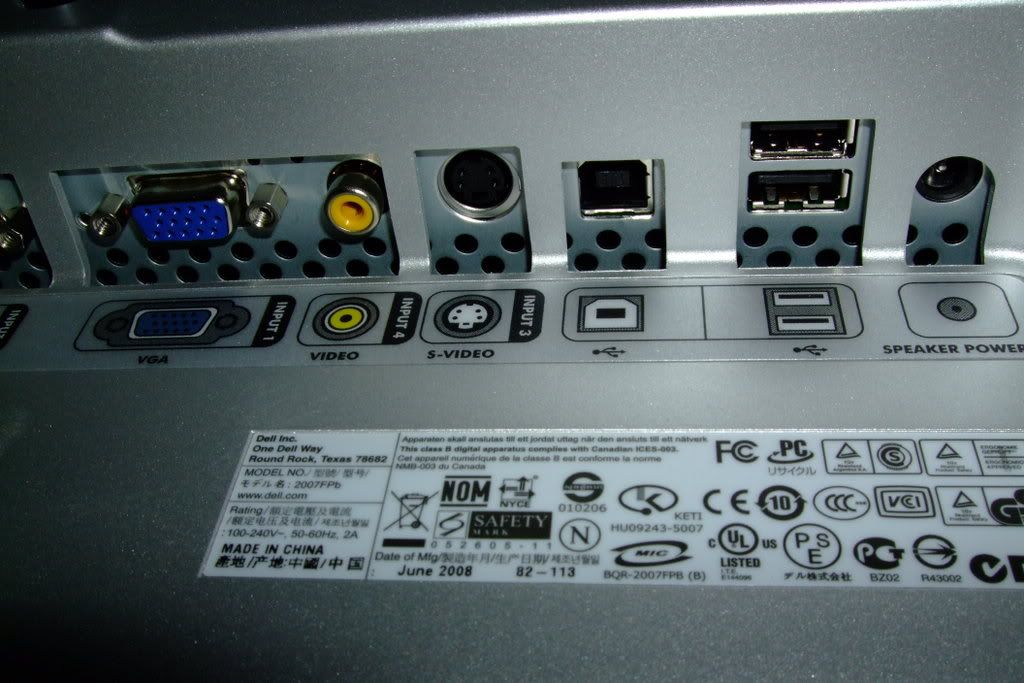
可見到VGA、S-Video、USB Hub、另兩個USB埠和聲響電源接口(不知這個是啥),而另一邊是主電源和DVI接口(舊型號的傢伙不支援HDMI喔):
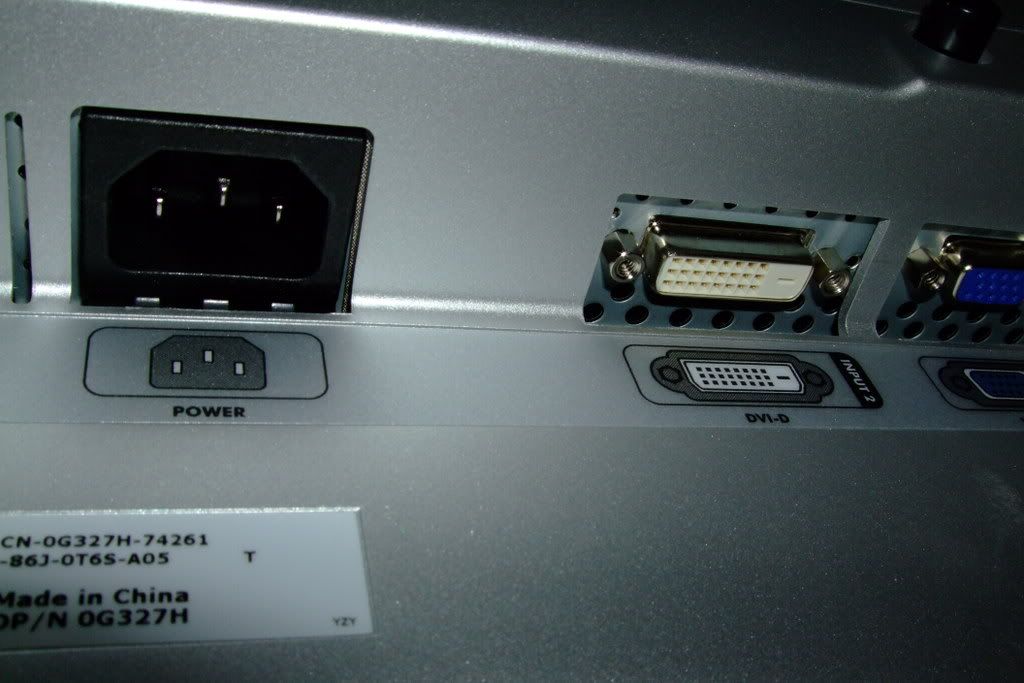
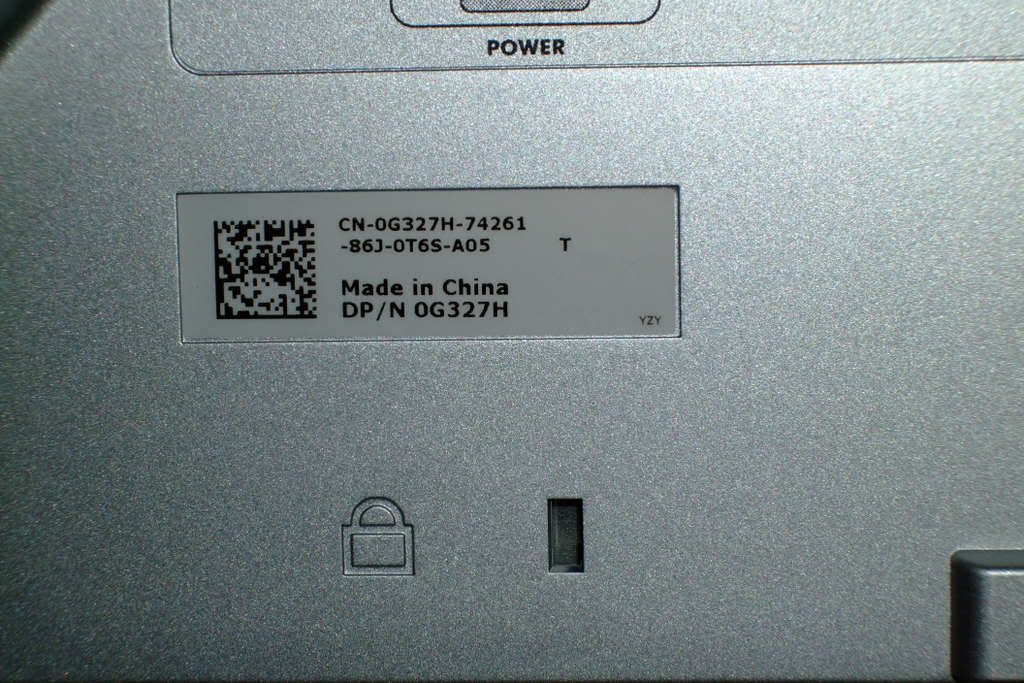
原來是A05版,細看之下發現又是「中國製造」的;Serial Number最後一個字是"S",板應是S-PVA式來:
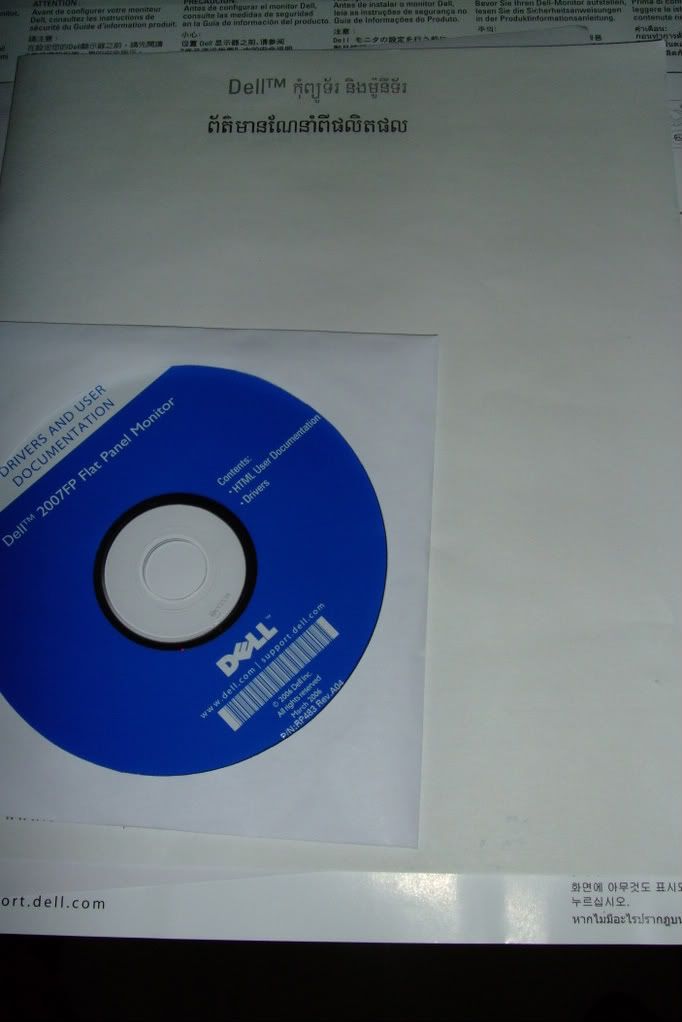
但說明晝居然是泰文的(好像是吧):
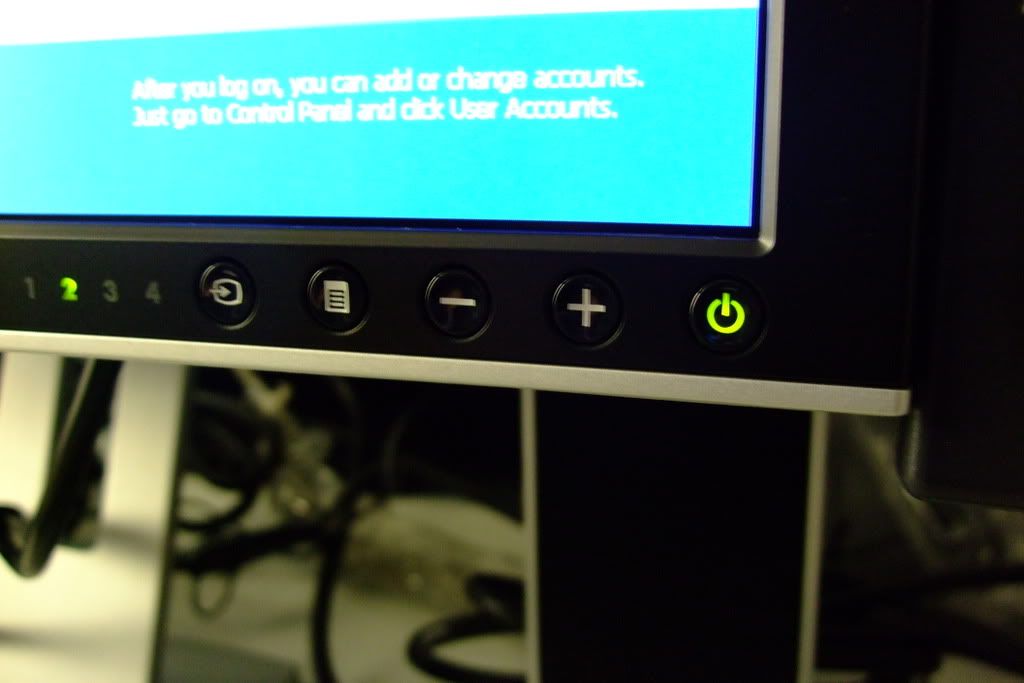
主控板在右下方(landscape mode計),當有訊號時轉綠色,而較遠的"2"字代表DVI-D入訊:
和原來的Viewsonic VP17b一起開動!
雖然跑上到1600x1200,字體也不覺太細。
漏光測試 --黑房再把光度校到零,再開啓Blank Screen Saver:
無光死點,阿彌陀佛;但四個角有丁點兒漏~~~囧
調色:(1)沒有任何profile,原本顏色偏藍和冷,需要調色;可是接DVI-D中沒有contrast調校,不太理想:
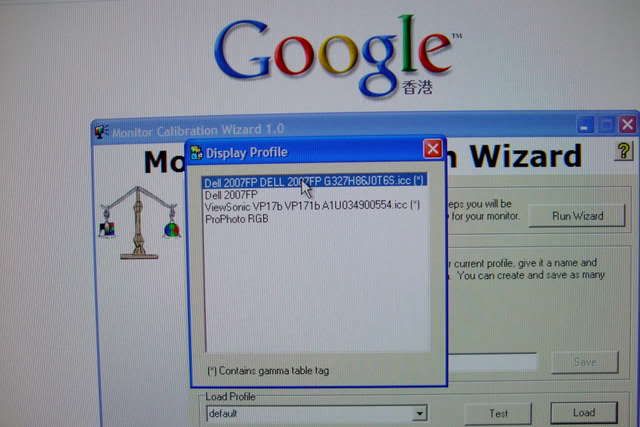
(2)載入Display Profile選擇用HueyPRO測成的ICC Profile:
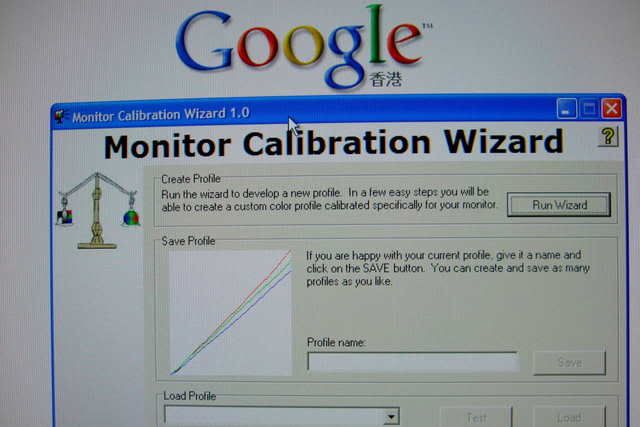
(3)注意三條gamma curve的變化:
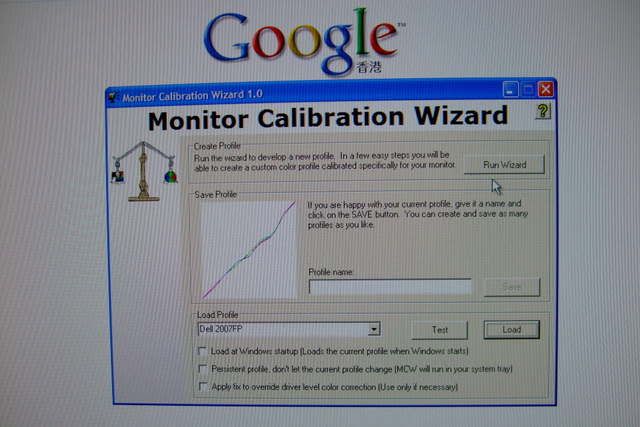
(4)若用肉眼調節的profile,同default接近:
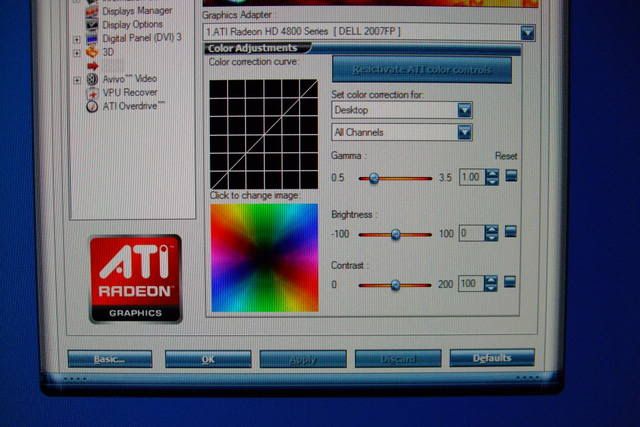
發現原來可以用張video卡上的軟體做contrast調校:
不過有專家謂,都是留給調色器辦好啦。
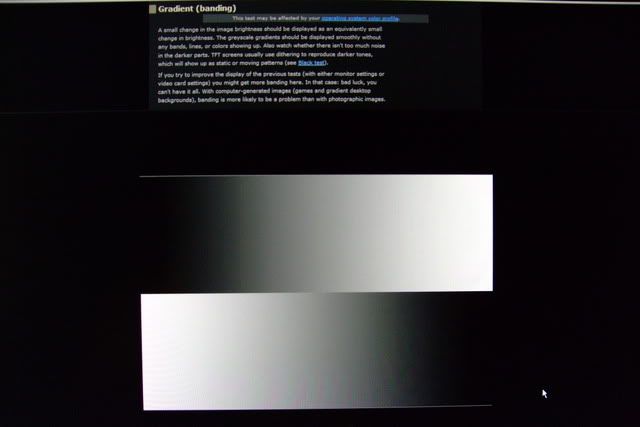
有版友介紹以下這個網頁,看看有沒有banding問題(幸好,沒有):
即使標明反應為16ms,不覺有殘像問題:HL2E2 Video! (警告:以下片段可能令觀眾出現頭暈轉向的情況)
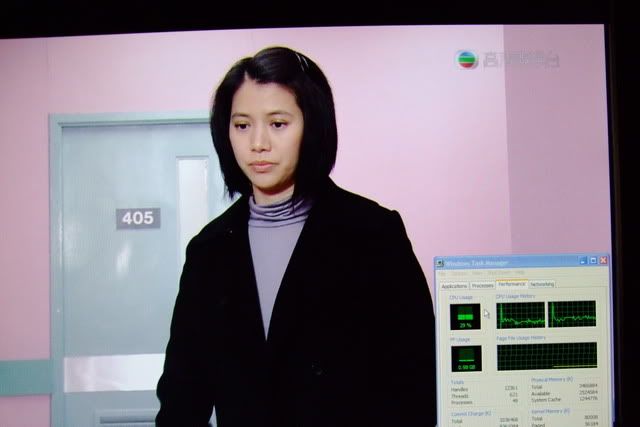
更問同事借了個HDTV接收器來試,還可以:
最後是比上面更刺激的Mount&Blade中戰鬥動畫(用最新Catalyst 8.7):(睇到頭暈暈自負)
全程都保持住290fps以上(個counter在左上角看不到的)。部份裝甲同盾無端變左紅色,是因為ATI Catalyst 8.4以後的driver有bug所做成的。用nVidia和Catalyst 8.4或以前的都沒有這個問題。
另一個相當的問題就是熱力,長時間啓動,機背相當之熱。
圖唔好見笑,大部份都係用Fuji F50fd機仔拍,質素其實唔多見得人。
Dell Ultrasharp 2007FP是台很舊式四比三,貳拾點壹吋LCD顯示屏,最高能顯示出1600x1200解像度!在今天拾陸比拾板充斥的情況下,這個比例早應被市場淘汰了。中港台三地的Dell網站不會賣(踫過釘),只知在美國那邊仍然有。但敝可不是從老美直接訂過來的。
還是看看主角。

七月十八日,DHL送來了兩盒。小的香港制式的電源線,而大的是顯示屏;打開如下:

一條15針VGA線連上屏上。除此之外還有DVI線、USB Hub接線(螢幕附肆個USB埠)、安裝說明、驅動和說明光盤:

安裝主要是把螢幕接到支架上就成,非常簡單:

裝好!

要逹到最高解像度,其實好像不用安驅動程式:

架背有鍵可以讓螢幕升降,而旋轉和左右擺動皆可以。除了兩個USB接口在螢幕的左側之外(以landscape mode計),全部接口皆在螢幕的底部:

可見到VGA、S-Video、USB Hub、另兩個USB埠和聲響電源接口(不知這個是啥),而另一邊是主電源和DVI接口(舊型號的傢伙不支援HDMI喔):

原來是A05版,細看之下發現又是「中國製造」的;Serial Number最後一個字是"S",板應是S-PVA式來:

但說明晝居然是泰文的(好像是吧):

主控板在右下方(landscape mode計),當有訊號時轉綠色,而較遠的"2"字代表DVI-D入訊:

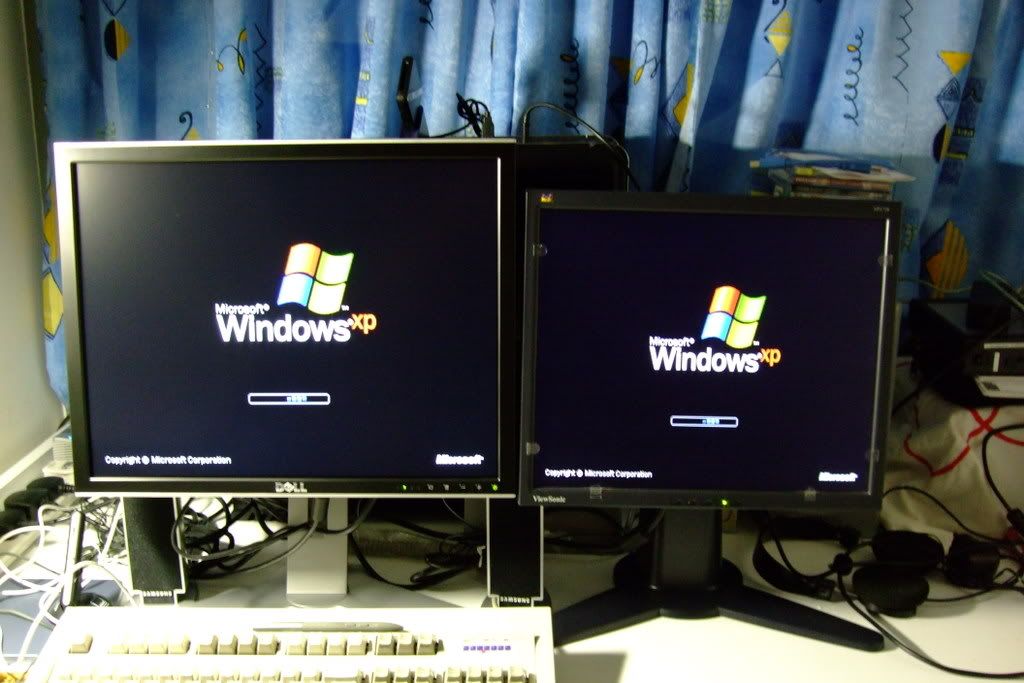
和原來的Viewsonic VP17b一起開動!

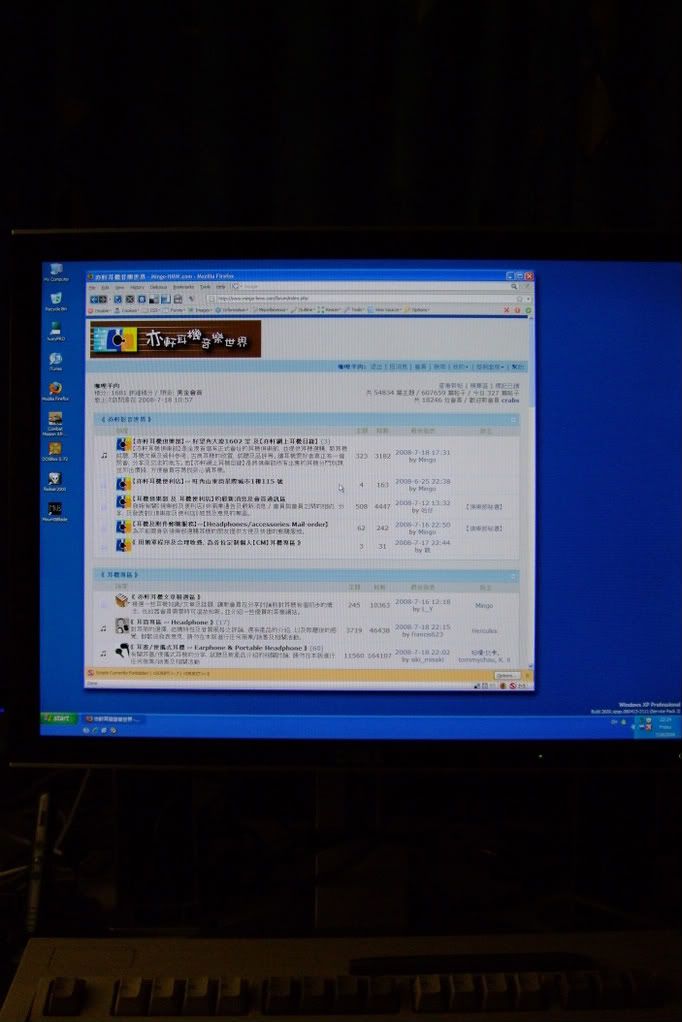
雖然跑上到1600x1200,字體也不覺太細。

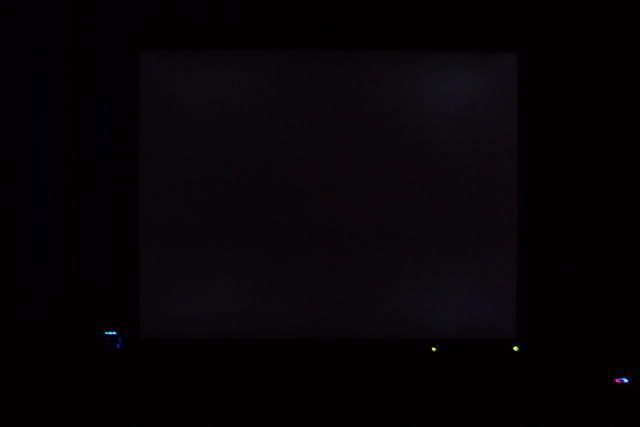
漏光測試 --黑房再把光度校到零,再開啓Blank Screen Saver:

無光死點,阿彌陀佛;但四個角有丁點兒漏~~~囧
調色:(1)沒有任何profile,原本顏色偏藍和冷,需要調色;可是接DVI-D中沒有contrast調校,不太理想:

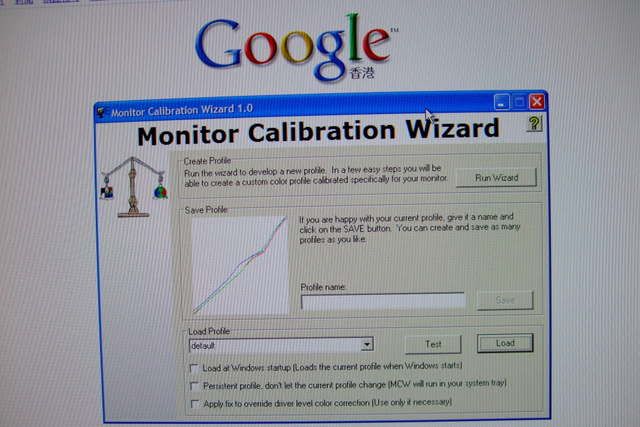
(2)載入Display Profile選擇用HueyPRO測成的ICC Profile:

(3)注意三條gamma curve的變化:

(4)若用肉眼調節的profile,同default接近:

發現原來可以用張video卡上的軟體做contrast調校:

不過有專家謂,都是留給調色器辦好啦。
有版友介紹以下這個網頁,看看有沒有banding問題(幸好,沒有):

即使標明反應為16ms,不覺有殘像問題:HL2E2 Video! (警告:以下片段可能令觀眾出現頭暈轉向的情況)
更問同事借了個HDTV接收器來試,還可以:

最後是比上面更刺激的Mount&Blade中戰鬥動畫(用最新Catalyst 8.7):(睇到頭暈暈自負)
全程都保持住290fps以上(個counter在左上角看不到的)。部份裝甲同盾無端變左紅色,是因為ATI Catalyst 8.4以後的driver有bug所做成的。用nVidia和Catalyst 8.4或以前的都沒有這個問題。
另一個相當的問題就是熱力,長時間啓動,機背相當之熱。
圖唔好見笑,大部份都係用Fuji F50fd機仔拍,質素其實唔多見得人。
21 July, 2008
Batman - The Dark Knight
(極不喜歡港譯的名字,令人想起『edit神』)
上週六去看了,因為沒看過新製(有稱為reboot)的Batman第一集(甚至連女主角早知Bruce的另一個身份也不知道),沒有啥可比較,也沒有大期待。
第一個感覺,是那個『沒有名字的怪物』。
整部電影佈局就是小丑那個「遊戲」的發展,一環接一環,劇情不獨出人意表,同時也相當震撼。全部故事中人都被他的線扯著起舞;和一直以來的小丑形象不同:沒有花巧的武器和道具,最嚴害的殺著,是很聰明地,彷彿能看透人心理的陰暗面,驅使他人達到自己瘋狂目的。也許是這個系列的「宿命」:歹角大部份都比主角Batman來得出色注目。Ledger沒有誇張過火的演出,表現一個既深沉又精神上有缺憾的角式很不易;相反,演Batman只是一般而已,連感情和心理描寫也嫌不夠深,大概上集已經交代好。
重制的Batman是一個濟世為懷,卻用暴力制裁罪惡的古代俠士,不但不能被現代文明法治所接受,最終還要背負被建制追捕的悲劇命運,只能做在暗地裡主持正義的dark knight,更差一點險墮進小丑佈下的心理陷阱,英明一朝喪。有黑暗就有光明,其中一名主角是Batman稱之謂「Gotham City這十年來唯一的正義希望。」的「白騎士」;可是最後因為受不了小丑擺佈,把自己親手埋葬(即時聯想到《馬勒第六交響樂》)。最後是警方代表的 Gordon,和其餘兩人合作無間,但很快便跌進『無間道』式的無力處境:根本不知道身邊那一位同僚不是黑幫安插的「內鬼」。和平民的蜘蛛人和輕挑的鐵甲人這些超級英雄片子不同,這部不獨陰沉壓迫感極重,若果不是有提供「主角威能」的特殊裝備提提醒,平實得差點以為在看一部高水準的警匪鬥智鬥力電影。
同意某影評說,香港那一小段,沒有醜化之嫌,鏡頭下加工得很美(銀白色的夜景像樓盤廣告),看不到當時天天受空氣污染之苦;相反步步有殺人兇手出沒,讓瘋狂壞蛋橫行Gotham City,香港也許算是個勝地。可恨的是兩大公認好戲之人Kane和Freeman全無對手場面,但有他們的時候,壓場感十足(尤其是Freeman),不要錯過。
若果今年只看一部電影(未看WALL-E),也許是這部吧。
(後記:這裡快成電影窩啦)
後補01:七月卅日《信報》居然在非文化版中出現此片評論,先是曹仁超先生有謂:「The Dark Knight由時代華納製作,製作費高達1.8億美元,估計營運利潤高達5億美元(因一直可勁收到2010年,同時大大提升蝙蝠俠嘅品牌價值)……呢套片令蝙蝠俠唔再係無敵,而係愈來愈人性化,但最終能戰勝自己嘅弱點。而另一頁的畢老林,又云:「黑夜之神》一片,就如麥稻所言,政治氣息很重,老畢在《華盛頓獨立報》網站上看過一篇評論,作者認為《黑夜之神》的劇本,活脫就像出自美國副總統切尼的幕僚長阿丁頓(David Addington)手筆。」敝最後也隨著往其網站,找了這篇評說來讀。
後補02:週日(八月十日)看了IMAX版,只能用震撼來形容,同時可以看清楚劇情有那些犯駁的地方。
上週六去看了,因為沒看過新製(有稱為reboot)的Batman第一集(甚至連女主角早知Bruce的另一個身份也不知道),沒有啥可比較,也沒有大期待。
第一個感覺,是那個『沒有名字的怪物』。
整部電影佈局就是小丑那個「遊戲」的發展,一環接一環,劇情不獨出人意表,同時也相當震撼。全部故事中人都被他的線扯著起舞;和一直以來的小丑形象不同:沒有花巧的武器和道具,最嚴害的殺著,是很聰明地,彷彿能看透人心理的陰暗面,驅使他人達到自己瘋狂目的。也許是這個系列的「宿命」:歹角大部份都比主角Batman來得出色注目。Ledger沒有誇張過火的演出,表現一個既深沉又精神上有缺憾的角式很不易;相反,演Batman只是一般而已,連感情和心理描寫也嫌不夠深,大概上集已經交代好。
重制的Batman是一個濟世為懷,卻用暴力制裁罪惡的古代俠士,不但不能被現代文明法治所接受,最終還要背負被建制追捕的悲劇命運,只能做在暗地裡主持正義的dark knight,更差一點險墮進小丑佈下的心理陷阱,英明一朝喪。有黑暗就有光明,其中一名主角是Batman稱之謂「Gotham City這十年來唯一的正義希望。」的「白騎士」;可是最後因為受不了小丑擺佈,把自己親手埋葬(即時聯想到《馬勒第六交響樂》)。最後是警方代表的 Gordon,和其餘兩人合作無間,但很快便跌進『無間道』式的無力處境:根本不知道身邊那一位同僚不是黑幫安插的「內鬼」。和平民的蜘蛛人和輕挑的鐵甲人這些超級英雄片子不同,這部不獨陰沉壓迫感極重,若果不是有提供「主角威能」的特殊裝備提提醒,平實得差點以為在看一部高水準的警匪鬥智鬥力電影。
同意某影評說,香港那一小段,沒有醜化之嫌,鏡頭下加工得很美(銀白色的夜景像樓盤廣告),看不到當時天天受空氣污染之苦;相反步步有殺人兇手出沒,讓瘋狂壞蛋橫行Gotham City,香港也許算是個勝地。可恨的是兩大公認好戲之人Kane和Freeman全無對手場面,但有他們的時候,壓場感十足(尤其是Freeman),不要錯過。
若果今年只看一部電影(未看WALL-E),也許是這部吧。
(後記:這裡快成電影窩啦)
後補01:七月卅日《信報》居然在非文化版中出現此片評論,先是曹仁超先生有謂:「The Dark Knight由時代華納製作,製作費高達1.8億美元,估計營運利潤高達5億美元(因一直可勁收到2010年,同時大大提升蝙蝠俠嘅品牌價值)……呢套片令蝙蝠俠唔再係無敵,而係愈來愈人性化,但最終能戰勝自己嘅弱點。而另一頁的畢老林,又云:「黑夜之神》一片,就如麥稻所言,政治氣息很重,老畢在《華盛頓獨立報》網站上看過一篇評論,作者認為《黑夜之神》的劇本,活脫就像出自美國副總統切尼的幕僚長阿丁頓(David Addington)手筆。」敝最後也隨著往其網站,找了這篇評說來讀。
後補02:週日(八月十日)看了IMAX版,只能用震撼來形容,同時可以看清楚劇情有那些犯駁的地方。
03 January, 2008
Subscribe to:
Comments (Atom)